
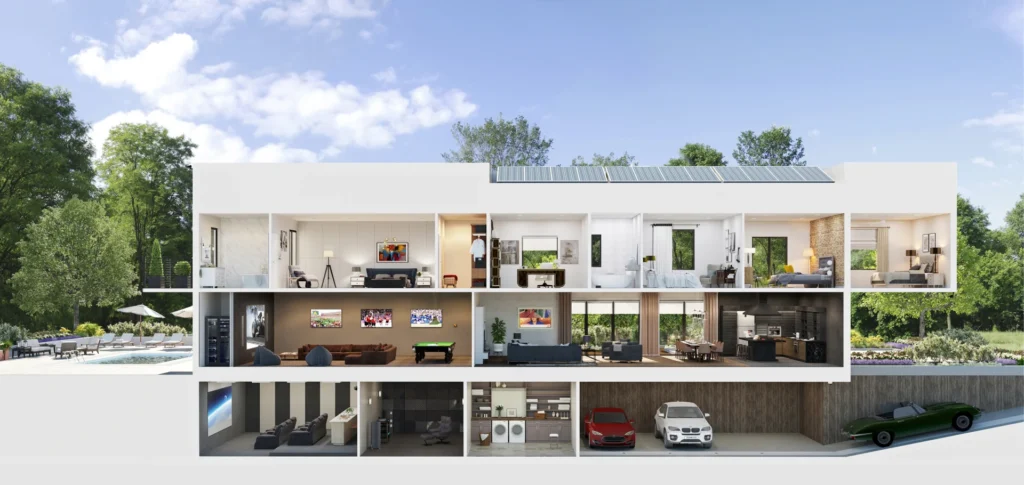
Smart home automation is more than a luxury—it’s a smarter way of living. From voice commands to automated routines, this guide helps Bellevue homeowners understand and embrace connected home technology.
With these smart home automation basics, you can transform your living space into one that’s efficient, convenient, and future-ready.
Why Smart Home Automation Matters
Smart home systems connect devices like lights, speakers, thermostats, and locks using Wi‑Fi or hubs. You control them via phone apps or voice assistants like Alexa or Google Home.
Home automation offers real convenience and cost savings. Smart lighting control and multi-room audio installation can reduce energy use and enhance daily comfort.
Key Components of a Smart Home
To get started, you’ll need:
-
- Lighting control: Replace bulbs or switches with smart versions.
-
- Multi-room audio installation: Sync speakers room to room.
-
- Smart thermostat, locks, and shades.
-
- Voice assistant or central hub.
These elements work together to create seamless control and automation.
Step-by-Step Smart Home Setup Guide
Follow these simple steps to start building a smart, connected home tailored to your needs.
Step 1: Plan Smart Lighting Control
Smart lighting control is one of the simplest upgrades and offers big returns:
-
- Schedule lights to turn on/off automatically.
-
- Dim or change color based on time of day.
-
- Control lights remotely, even when you’re away.
In Bellevue, smart bulbs or smart switches integrate easily with Alexa, Google Home, or HomeKit systems.
Step 2: Add Multi-room Audio Installation
Want music in every room? Multi-room audio installation lets you play sound in synced zones:
-
- Use Wi‑Fi-enabled speakers for wireless connectivity.
-
- Control music through apps or voice assistants.
-
- Create zones for living room, kitchen, patio, and bedrooms.
It’s perfect for parties or daily listening throughout your home. Local experts in Bellevue offer tailored solutions for this system.
Step 3: Choose a Smart Home Ecosystem
Select an ecosystem that suits your needs:
-
- Amazon Alexa: Great for wide integration and voice control.
-
- Google Home: Simple setup and strong Android compatibility.
-
- Apple HomeKit: Best for homeowners using iPhones or iPads.
Make sure your lighting, audio, and appliances all support the same platform for best performance.
Step 4: Put It Together — System Setup
Here’s a simple step-by-step setup:
-
- Install a smart hub or voice assistant (e.g. Echo, Nest Hub).
-
- Replace bulbs or switches with smart lighting devices.
-
- Install speakers and configure rooms.
-
- Add routines (e.g. “Good Morning” turns on lights and plays music).
-
- Test device naming and grouping for easy voice control.
Keep controls consistent—avoid duplicate names like “kitchen light 1” and “kitchen light 2”.
Why Consider Professional Installation?
Planning a large setup or high-end system? A few Bellevue-based firms specialize in full home installations:
-
- WA Smart Homes and Bob’s Smart Home offer tailored systems with integrated lighting control and AV automation.
-
- Beyond HiFi and H2 Audio Video also handle multi-room audio and smart control design in Bellevue.
Professionals ensure wiring, Wi‑Fi coverage, zoning, and integrations all work smoothly.
Benefits for Bellevue Homeowners
-
- Energy savings: Automated lighting and climate can reduce bills by up to 20%.
-
- Increased convenience: Control all systems from a phone or voice assistant.
-
- Enhanced lifestyle: Tap “party mode” and play music across rooms or set evening lighting scenes.
-
- Insurance perks: Some insurers offer discounts for smart home upgrades.
Plus, systems scale easily—start small and expand over time.
Safety and Privacy Tips
Connected homes come with responsibilities:
-
- Secure your home Wi‑Fi network with strong passwords.
-
- Change default device credentials regularly.
-
- Verify encryption standards for smart devices.
These simple precautions protect your privacy and prevent hacking.
Suggested Routine for New Users
Follow this schedule to get started:
-
- Days 1–7: Set up smart lighting control in high-use areas like kitchen/living.
-
- Days 8–14: Configure multi-room audio and group by zones.
-
- Week 3: Add voice assistant routines (like “wine time” lighting).
-
- Month 1: Test automation set-ups and tweak schedules for comfort.
FAQ
Q1: What is smart home automation?
It connects home devices via Wi‑Fi or hub so you can control lighting, audio, climate, locks, and more through apps or voice commands.
Q2: Is multi-room audio installation worth it?
Yes. It syncs music across rooms and integrates with smart routines—ideal for modern homeowners.
Q3: How difficult is smart lighting control to set up?
Very easy. Replace bulbs or switches, connect to Wi‑Fi, and control via app or voice.
Q4: Do I need professional installation in Bellevue?
You can DIY basic systems. But for custom integration, large homes, or polished AV setups, professional installers ensure everything works flawlessly.
Conclusion
Smart home automation transforms your home into a powerful, intuitive living space. Whether you’re setting up smart lighting control, installing whole‑home audio, or building routines around your daily life, Bellevue homeowners can enjoy more comfort, control, and efficiency.
Start with one smart zone, expand at your pace, and always choose systems that work together. When in doubt, local experts can help design and install a complete automation plan tailored to your home.